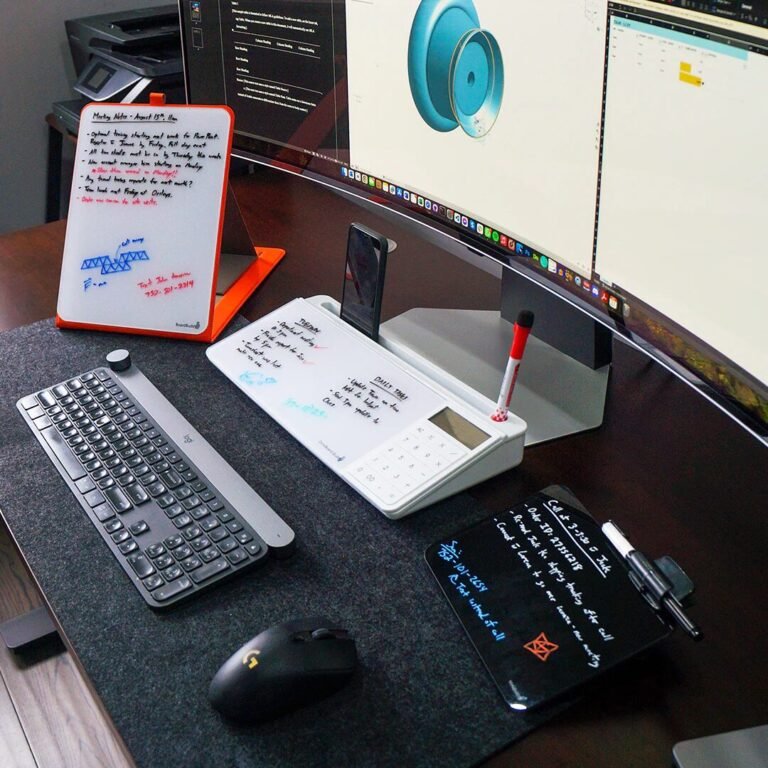

Many users today find themselves struggling with the integration of various smart technologies in their homes and professional environments. With a multitude of devices and platforms available, achieving seamless connectivity and optimal performance can present significant hurdles. This guide aims to resolve those challenges by offering practical strategies and insights for maximizing the performance of smart technology systems.
Understanding Smart Technology Architecture
Smart technology encompasses a range of devices, including home automation tools, security systems, and IoT (Internet of Things) appliances. The core objective is to facilitate communication among devices, making them work harmoniously. The first step in optimizing performance is to understand the architecture of your smart system, including various wireless protocols such as Wi-Fi, Bluetooth, Zigbee, and Z-Wave.
Wireless Protocols Overview
- Wi-Fi: High bandwidth, suitable for data-heavy devices like cameras and streaming devices.
- Bluetooth: Ideal for short-range connectivity but limited in range and bandwidth.
- Zigbee & Z-Wave: Low-power protocols designed for smart home devices, offering longer battery life and limited bandwidth.
Choosing the right protocol for each device can significantly impact the overall responsiveness and efficiency of your smart technology ecosystem.
Configuration for Optimal Performance
Proper configuration of your smart devices is critical to achieving seamless integration. Here are detailed steps to ensure optimal performance:
Step 1: Network Setup
- Use a Separate Network: If possible, create a dedicated network for your smart devices. This can reduce congestion and improve response times.
- Utilize QoS (Quality of Service): Set up QoS in your router settings to prioritize bandwidth for smart devices over general internet usage.
- Mesh Network: If you have multiple devices spread out, consider using a mesh network to enhance coverage and performance.
Step 2: Device Placement
Placement of devices matters significantly. Ensure that devices are located within the effective range of your network and avoid physical obstructions like walls or large furniture. Consider placement for optimal signal strength:
- Place the hub centrally.
- Avoid placing devices in corners or basements.
Step 3: Firmware Updates
Regularly check for firmware updates for all devices. Manufacturers frequently release updates to enhance performance and security. Here’s how you can do this:
- Check the manufacturer’s website or app for available updates.
- Follow the instructions to update firmware, either automatically or manually.
Optimization Techniques
Once you have configured your system, further optimization can enhance performance:
Using Automation Scripts
Automation scripts can help in managing device interactions more effectively. For example:
- Automate lighting based on occupancy.
- Set smart thermostats to adjust based on weather reports.
Tools like IFTTT (If This, Then That) or Home Assistant can help create complex automation sequences, improving your system’s intelligence.
Monitoring System Utilization
Utilize network monitoring tools to identify any bottlenecks. Tools such as Fing or Wireshark can help you:
- Identify inactive devices that are unnecessarily using bandwidth.
- Analyze traffic flow to spot connectivity issues.
Privacy and Security Measures
Security is paramount when integrating smart technologies. Follow best practices to safeguard your network:
- Use Strong Passwords: Ensure all devices have unique, complex passwords.
- Regularly Update Security Settings: Set a schedule to review and update security settings across all devices.
- Enable Two-Factor Authentication: Where available, enable this feature for an added layer of security.
Evaluating Trade-offs
Be aware that integrating multiple technologies can lead to trade-offs regarding performance, compatibility, and cost. For instance:
- Increased Latency: More devices can lead to network congestion, resulting in slower responses.
- Compatibility Issues: Not all devices work seamlessly together. Ensure that the devices you choose are compatible with your chosen hub or ecosystem.
- Costs: While some smart devices are economically priced, others can be an investment. Assess whether features justify the costs.
Conclusion
By understanding the architecture of smart technology, configuring your devices correctly, and applying optimization techniques, you can significantly improve performance and ensure seamless integration. As you implement these strategies, your system will become more reliable, responsive, and enjoyable to use.
Frequently Asked Questions
What should I do if a device frequently disconnects from the network?
Check its distance from the router and consider moving it closer or adding a range extender. Also, ensure it has the latest firmware updates.
How can I optimize battery life for smart home devices?
Schedule routine updates and automations to minimize usage when not needed. Choose devices with energy-efficient protocols like Zigbee or Z-Wave.
Are mesh Wi-Fi systems beneficial for smart home devices?
Yes, mesh Wi-Fi systems can significantly improve coverage and reduce dead zones in larger areas, resulting in better performance for connectivity-dependent devices.
Can I add any device to my smart home system?
Not all devices are compatible with every hub or ecosystem. Always verify compatibility before purchasing new devices.
What security measures should I take for a smart home setup?
Use strong, complex passwords, keep firmware up-to-date, segment your networks, and enable two-factor authentication where possible.